Catalogs and Seasons
Offer travels by catalogue, decide when they can be booked, and switch between peak and off-season.
Licence: Member Shop (member-shop) or Travelling (travelling); either is enough.
Backend Roles: every Portal editor.
A Catalog is a programme of travels, such as Pannoniqa's "Summer 2027". It has a page that lists its travels, and it decides whether and when they can be booked. Catalogs are under "Member Shop", "Catalogs".
Active Catalogs and the Default Catalog
A Catalog with "Is Active" ticked is in business: visitors can read the Portal through it. A Portal with no active Catalog is not divided by catalogue at all: every travel is listed and no catalogue is shown.
As soon as there is an active Catalog:
- Each visitor reads the Portal through one active Catalog, their current Catalog. Until they choose one, it is the "Default Catalog" set in the Member Shop "Configuration", which is also the one search engines see.
- Lists show only the travels of the current Catalog: a travel with its "Catalogs" naming it, or with "All catalogs" ticked. A visitor who opens a travel outside their Catalog is sent to the list of all travels.
- With two or more active Catalogs, visitors see a catalogue card to switch Catalogs. With exactly one, the card shows only when "Show the Catalog Card with a Single Catalog" is ticked in the Configuration.
Booking in a Catalog
On a Catalog's "Details" tab:
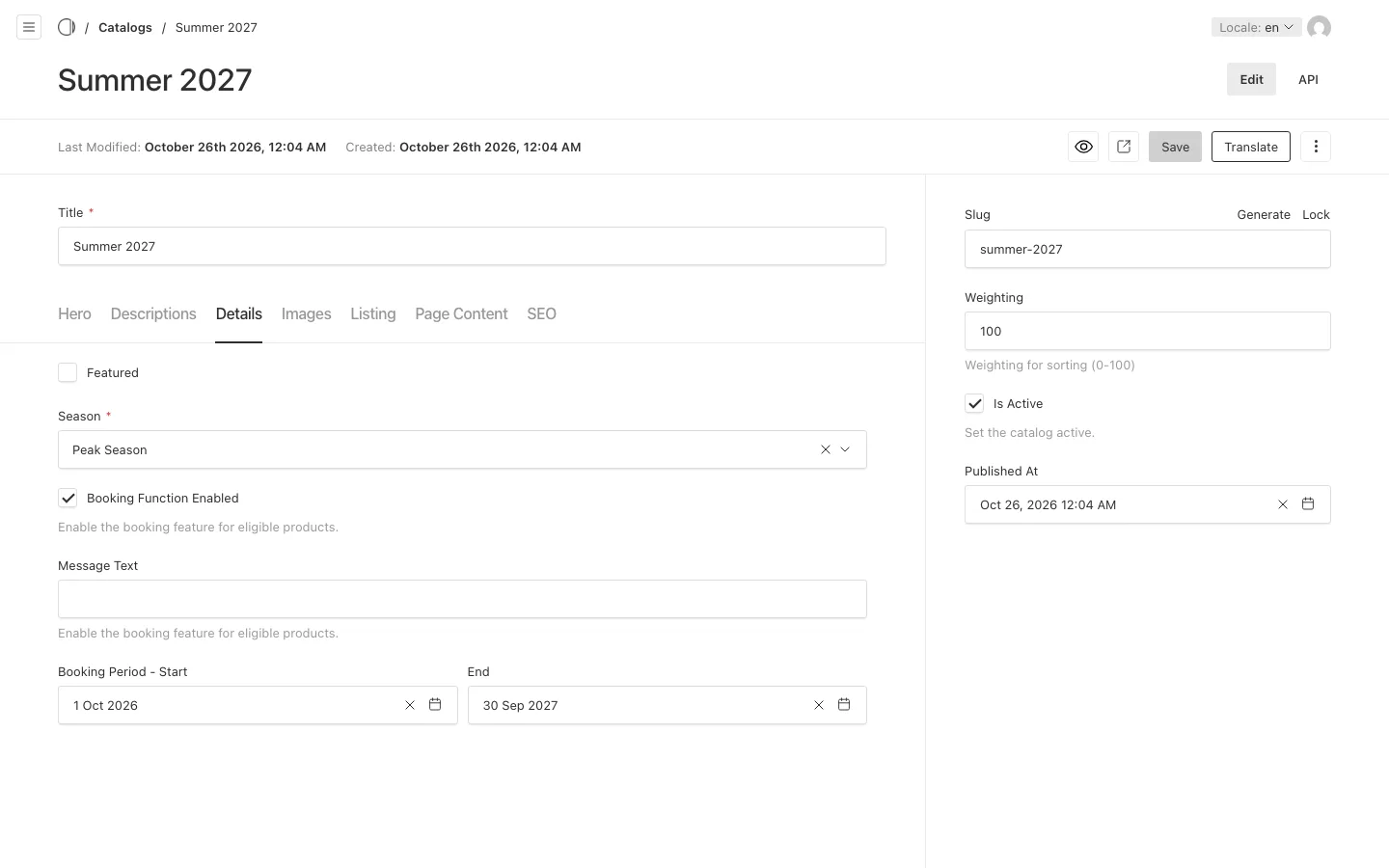
- "Booking Function Enabled" switches booking on or off for the Catalog's travels. When it is off, the Book button is shown disabled, with the "Message Text" beside it.
- "Booking Period - Start" and "End" limit the arrival dates visitors can request. An empty bound leaves that side open.
A visitor who is in no Catalog can always book: no Catalog does not mean no booking.
Seasons
Every Catalog has a "Season": "Peak Season" or "Off-season". A Travel can carry an off-season copy of its texts, its details, its variants and its images, each behind its own checkbox. When a visitor's current Catalog is an off-season Catalog, the Travel shows its off-season copy wherever it is ticked; otherwise, and for visitors in no Catalog, it shows its peak copy.
So the same travel can show the summer prices in "Summer 2027" and the winter prices in an off-season Catalog, without a second travel.