Filter by register, status, groups and claims
Decide which members belong to a community.
Studio roles: "Owner", "Administrator" and "Community manager".
Add a filter
- Open "Communities" and choose the community.
- Under "Members", choose "Add filter" and pick a condition.
- Fill in the condition.
- Choose "Save changes".
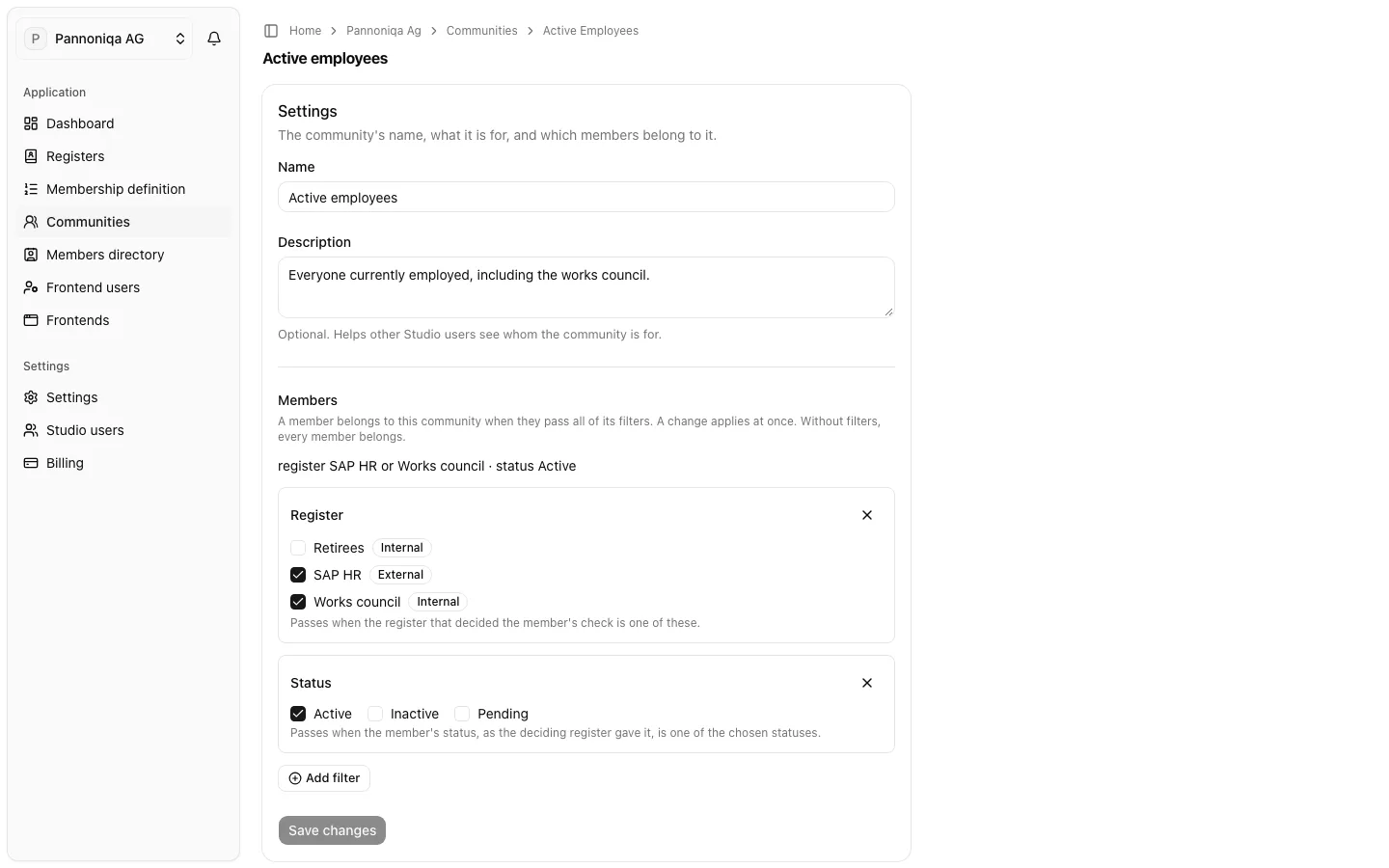
"A member belongs to this community when they pass all of its filters. A change applies at once. Without filters, every member belongs." The line under "Members" sums the filters up, for example "register SAP HR or Works council · status Active". To remove a condition, choose the × of its card.
Conditions
- "Register": "Passes when the register that decided the member's check is one of these." Pannoniqa's "Retirees" community chooses the register "Retirees".
- "Status": "Passes when the member's status, as the deciding register gave it, is one of the chosen statuses."
- "Groups": "Passes when the member is in any of these groups: the groups of their internal register entry, or an external register's groups for everyone found in it." Suggestions are the groups of all registers; you can also type a new one. A community "Linz site" could filter on the group "Linz".
- "Claim": a fact an external register returned about the member, compared with "is one of", "is none of", "is at least" or "is at most". It works as in the membership definition.
A community has no condition on the membership start or its length. Leave those to the register assignments of the membership definition.
Claims are stored at login
A claim filter reads the claims stored with the member's organisation membership, and "Claims are stored only when a member logs in". After you add a filter on a claim, members who have no value stored for it don't pass until their next login. Until then, the members directory shows the community with a question mark for them.
What a change does
A change applies to all members at once, from what their last check stored: no member needs to sign in again. It also changes who may use the community's frontends: a member who no longer belongs is no longer a member for those frontends from their next sign-in or token refresh.
A change in a register, such as a new group or status, reaches a member's communities only at their next membership check, which runs at every sign-in.