Registers
The lists of people who may become members: internal and external registers, their entries, groups and challenge codes.
Studio roles: "Owner", "Administrator" and "Community manager". The other Studio roles do not see "Registers" in the sidebar.
A register is a list of people who may become members of your organisation, each identified by their member code. A register makes nobody a member on its own: the membership definition decides which registers count and how, and the membership check asks them when a person signs up or signs in.
Internal and external registers
Every register has a kind. You choose it when you create the register, and it cannot be changed afterwards.
- An internal register is kept in the Studio: "Its entries are held in the Studio, added by upload or by hand." Pannoniqa AG keeps two: "Retirees", which HR uploads once a quarter, and "Works council", which is kept by hand.
- An external register stays in your own system: "Its entries stay in your system, which the Studio asks live through the appsolut register API." Pannoniqa's "SAP HR" is one. The Studio stores no entries for it, only its connection, and asks SAP HR about a member code whenever a check needs it.
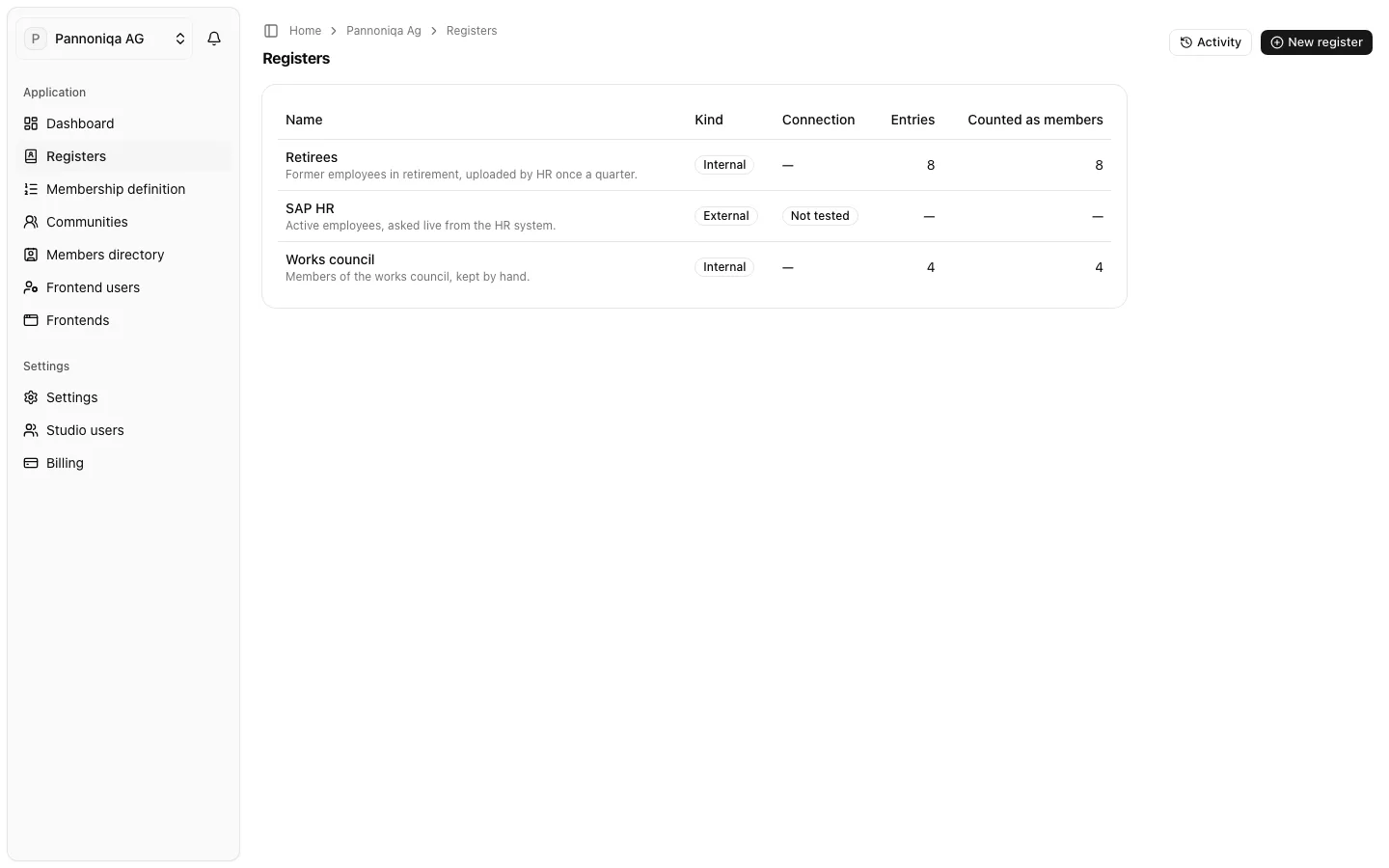
The "Registers" page lists every register with its "Kind", the "Connection" state of an external register, its "Entries" and how many of them are "Counted as members".
Register entries
One person in an internal register is a register entry. Only the "Member code" is required, and it must be unique in the register. An entry can also hold "First name", "Last name", "Birth date", "Phone", "Street", "Zip", "City", "Status", "Groups", "Membership start" and whether a challenge code is required.
- Member code: the same person has the same member code in every register of your organisation. That is how the Studio recognises them across registers.
- Names and birth date are compared when a person onboards, where the entry holds them. Phone and address are member data: a frontend may show them to the signed-in member, but the membership check never compares them.
- Status: "Active", "Inactive" or "Pending". Each register says which of them count as members, under "Statuses that count as members": "An entry with any other status is treated as not being in this register." A new register counts "Active" and "Inactive".
- Deactivated: an entry you switched off. "A deactivated entry counts as not being in the register, whatever its status." Deactivating is not the same as the status "Inactive": an inactive entry still counts as a member wherever the register counts that status.
An external register has no entries in the Studio. A person's status, names and birth date come from your system at the moment of the check.
Groups and challenge codes
- Groups are labels a person carries in a register, such as Pannoniqa's sites "Linz", "Graz" and "Wels". Communities and the membership definition can filter on them.
- Challenge codes are personal secrets you send to a person on a second channel, for example by letter. The person enters theirs once when they onboard, to prove that the member code is theirs.