Vouchers
The partners who honour your organisation's vouchers, the voucher offers for your members, and their codes.
Under "Vouchers" your organisation runs its voucher programme: the partners who honour vouchers, and the voucher offers, one per deal for your members, with the code each member is given when redeeming. Frontends, such as a Community Portal, show the offer as their own content and run the redemption; the Studio decides which code a member gets and how often.
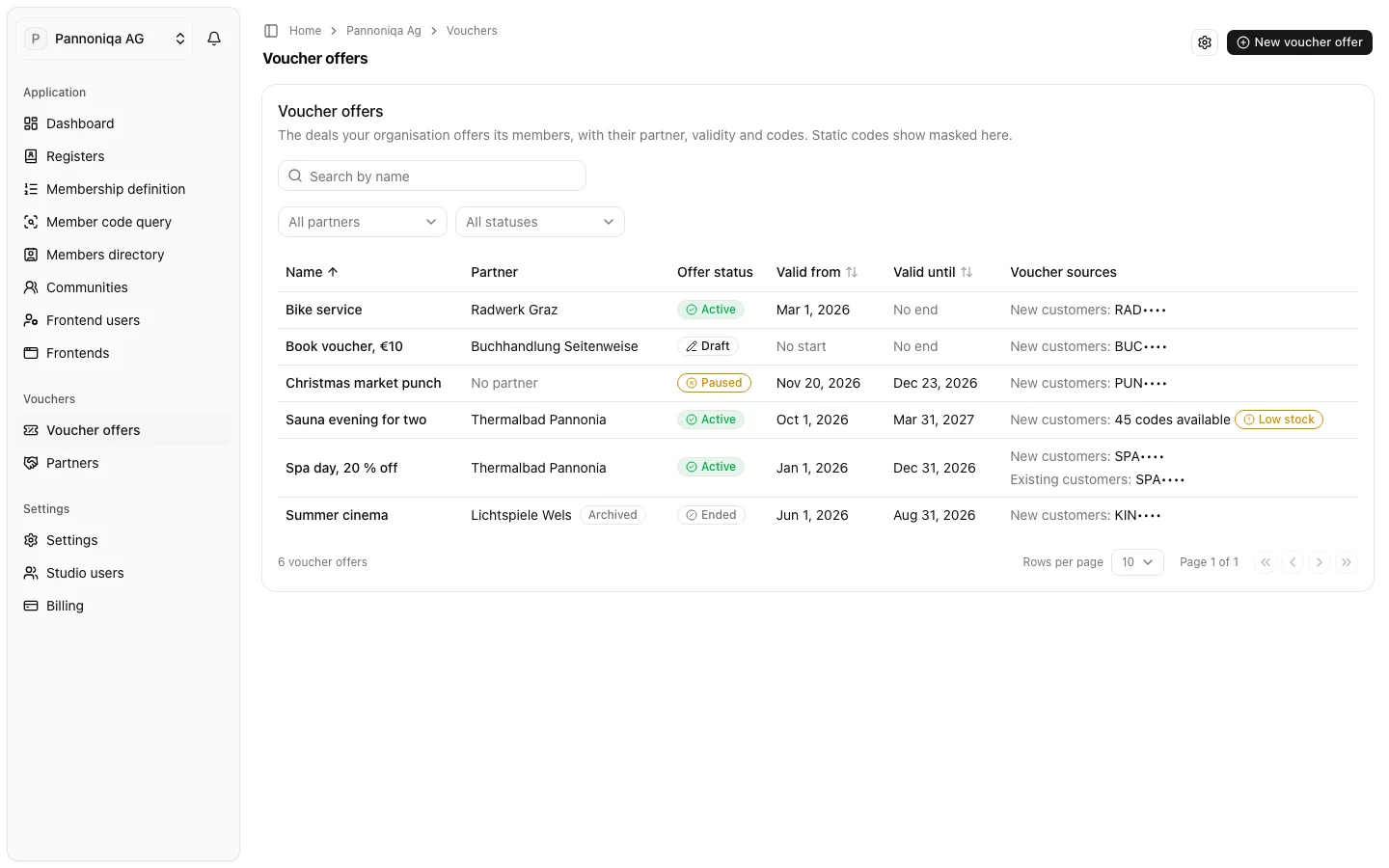
Terms
- A partner is a business that honours your vouchers, such as "Thermalbad Pannonia". It has contact persons and may have a redemption address: the email address members' messages about a redemption go to.
- A voucher offer is one deal: its partner, its validity, its offer status, its voucher sources and its redemption limit. Frontends show their own texts and images for it.
- A voucher source is where the code comes from for one customer kind: new customers, and optionally existing customers of the partner. A source is a static code, one code every member is given, or a voucher pool: a stock of unique codes your partner supplied, one for each member.
- The offer status is what you set: "Draft", "Active", "Paused" or "Ended". Only an active offer within its validity gives out codes. "Ended" is final.
- The redemption limit says how often one person may redeem the offer: once, a number of times per calendar month or year, or unlimited, counted across all your frontends.
Static codes and pool codes show masked in every list, with their first three characters only. A Studio user who manages vouchers sees static codes in full on the offer's own page, and shows a pool code in full one at a time.
Who can do this
Studio roles: "Owner" and "Administrator", and Studio users with the permission set "Voucher manager" or "Voucher viewer". With "Voucher viewer" they see the partners, voucher offers and voucher pools, with the codes masked, without changing them, and not the voucher settings. Other Studio users do not see "Vouchers" in the sidebar.
In this section
- Partners: add the businesses that honour your vouchers, with their contact persons and redemption address.
- Create a voucher offer: its partner, validity, voucher sources and redemption limit.
- Voucher pools: import your partner's codes, watch the stock and withdraw codes.
- Activate, pause and end a voucher offer.
- Voucher settings: the default redemption address and the benefits alert address.