Documentation/Studio
Back
  • Getting started
    • Key concepts
    • Sign in
    • Create and switch organisations
  • Registers
    • Create and change a register
    • Upload and download entries
    • Add, edit and deactivate entries
    • Groups
    • Claims
    • Challenge codes
    • Connect and test an external register
    • Register activity
  • Membership definition
    • Add and order register assignments
    • Filters and outcomes
    • Preview before saving
    • Save and version history
  • Member code query
  • Members directory
    • Find a member
    • Look up the checks of a member code
    • Deactivate a membership
  • Communities
    • Create, rename and delete a community
    • Filter by register, status, groups and claims
  • Frontends
    • Create a frontend
    • Frontend keys
    • Released claims
    • Sign-in settings
    • Guest access
    • Sign-in branding
  • Login with appsolut
    • Sign-up and onboarding
    • Sign-in and sign-out
    • Support requests
  • Frontend users
    • Find a frontend user
    • Membership and activations
    • Block a frontend user
    • Export a frontend user's data
    • Disconnect a frontend
  • Membership check
    • Check modes
    • Results and the check log
    • Rate limits
    • Grace rule
  • Vouchers
    • Partners
    • Create a voucher offer
    • Voucher pools
    • Activate, pause and end a voucher offer
    • Voucher settings
  • Redemptions
    • Redemption settings
  • Organisation settings
    • Organisation profile
    • Studio users and roles
    • Billing
    • Roadmap and feature requests

Voucher settings

The default redemption address and the benefits alert address of your organisation.

Studio roles: "Owner" and "Administrator", and Studio users with the permission set "Voucher manager".

The voucher settings are behind the gear at the top of "Voucher offers".
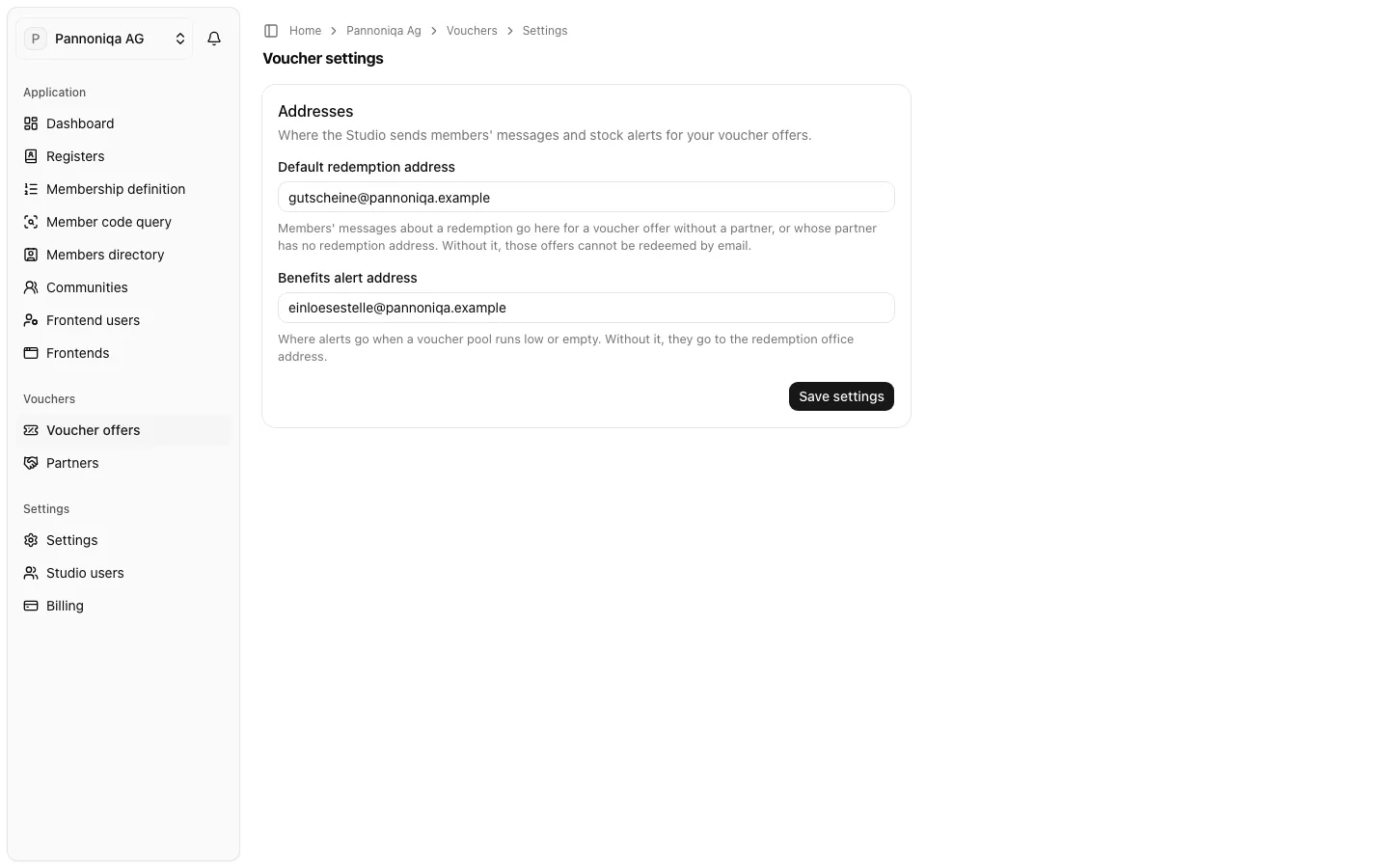
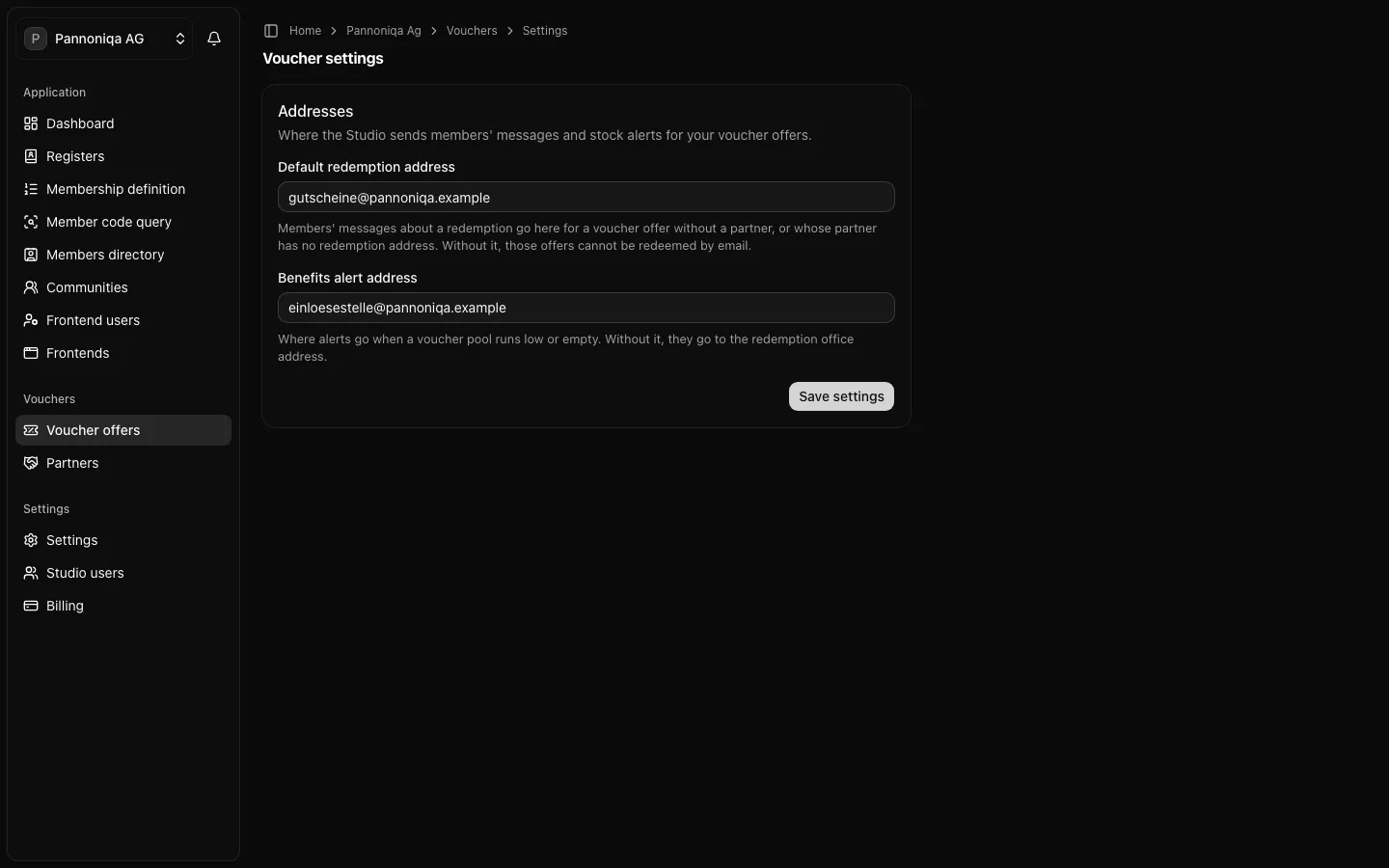
The Voucher settings page of Pannoniqa AG with the default redemption address and the benefits alert addressThe Voucher settings page of Pannoniqa AG with the default redemption address and the benefits alert address
  • Default redemption address: members' messages about a redemption go here for a voucher offer without a partner, or whose partner has no redemption address. Without it, those offers cannot be redeemed by email.
  • Benefits alert address: where the alerts go when a voucher pool runs low or empty. Without it, they go to the redemption office address of the redemption settings.

Both are optional. Enter the addresses and choose "Save settings".

Whether a frontend's backend may redeem for people who are not signed in is set per frontend, under Guest access.